The request was straightforward: we needed an accessible RC flight simulator. Several of my students wanted to learn how to pilot radio-controlled planes and drones, and a simulator is the ideal starting point. Crash a virtual aircraft, and you simply press a reset button. Crash a real one, and you spend your entire weekend hunched over a glue gun and a soldering iron.
The problem was just as simple: they can’t install software on their school computers. Most RC simulators are downloads, many cost money, and nearly all of them need user permissions a locked-down student laptop doesn’t have.
So I built an RC plane simulator that runs in a web browser. No download, no install, no account. Open the page, pick a plane and fly.
It’s called Trusty RC Airfield, and I built it by vibe coding: describing what I wanted to an AI, looking at the result, and saying what to change.
What Trusty RC Airfield is
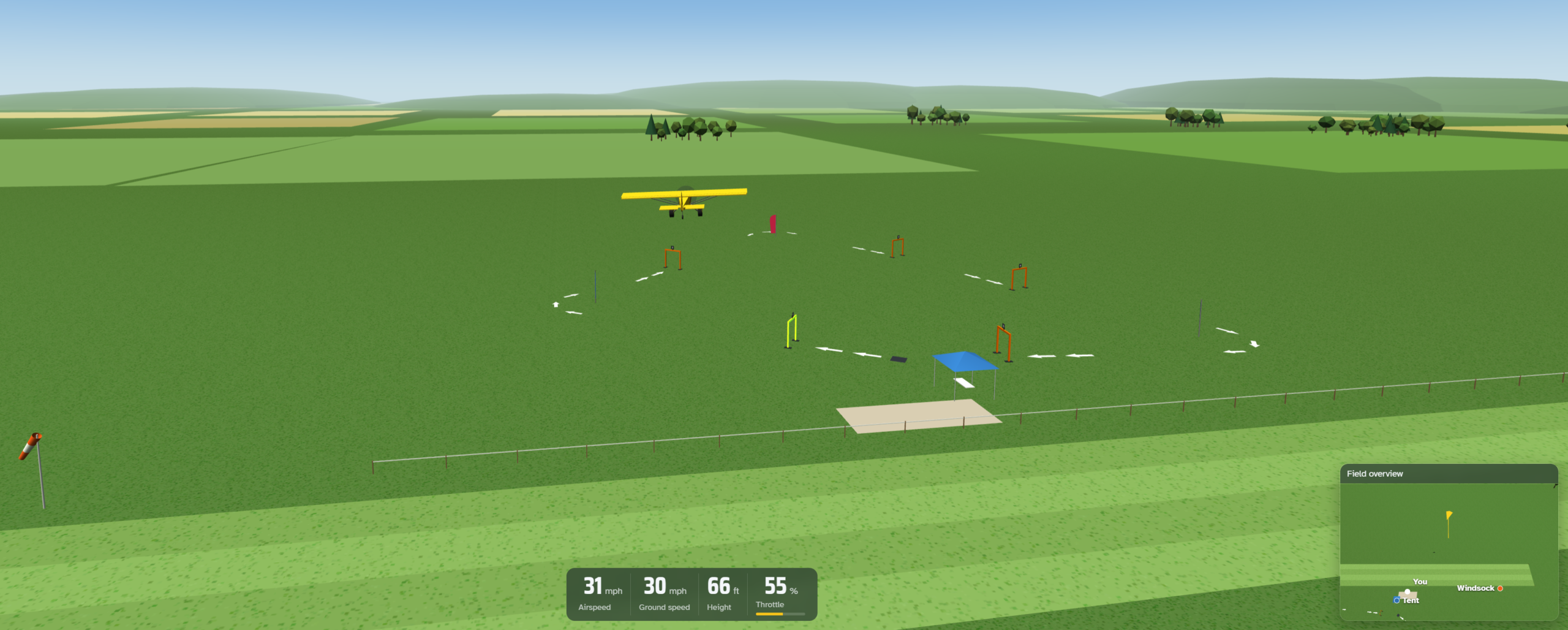
Trusty RC Airfield is a 3D RC flight simulator that lives on a single web page. You stand behind the fence at a grass airstrip, with a tent, a windsock, drone course and farm fields all around, and fly the plane from the ground just like at a real club field.
You can fly it with your real radio. My drone team uses the RadioMaster Pocket and the sim has specific instructions for connecting that radio. The browser based sim works with any transmitter that will talk to the computer either through Bluetooth or a USB connection. A setup wizard asks you to move each stick and works out the rest. No radio? Anyone can fly with the keyboard, using the arrow keys, A and D for rudder, and W and S for throttle, arrow keys for ailerons and elevator. But it’s most useful for training if you use a transmitter.
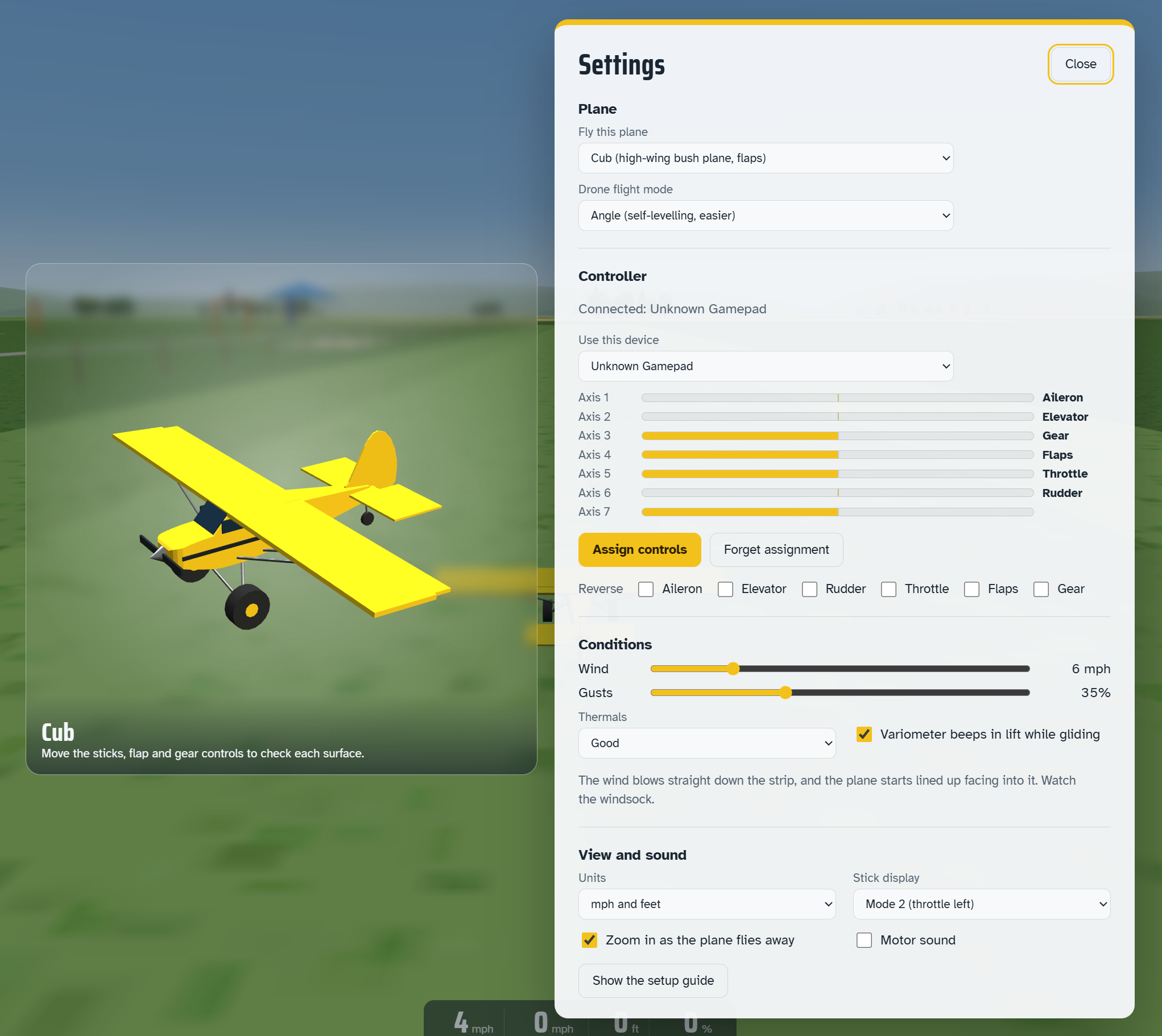
The physics are real. Lift, drag, stalls, wind, gusts and even thermals are all part of it. Planes tip-stall when flown too slowly, gliders climb in rising air, and jets spool up like real ducted fans.
There are three views: pilot view from the flight line, which keeps the horizon in sight, a chase camera, and FPV from the cockpit. A field overview window, which you can drag anywhere on the screen, means you never lose track of where you are.
How I built it: vibe coding with Claude
I didn’t write the code. I built Trusty RC Airfield in a long conversation with Claude, Anthropic’s AI. My job was to know what a good RC sim should feel like; its job was the programming.
The first request was one sentence.
Build a browser-based RC simulator, flown with my RadioMaster Pocket over Bluetooth, with a Cub-style bush plane.
In about five minutes, a working simulator came back from that one sentence. Everything after that was me flying it and saying what to change.
My requests sounded like “Put the windsock at the same end of the field as the plane,” “Give me a small wide-angle window so I can always see the plane, the tent and the windsock,” and “Make the pilot stand next to the fence, and keep the horizon in view.” Later came collision detection for the fence, the cones, the windsock and the tent, then flaps and retractable gear.
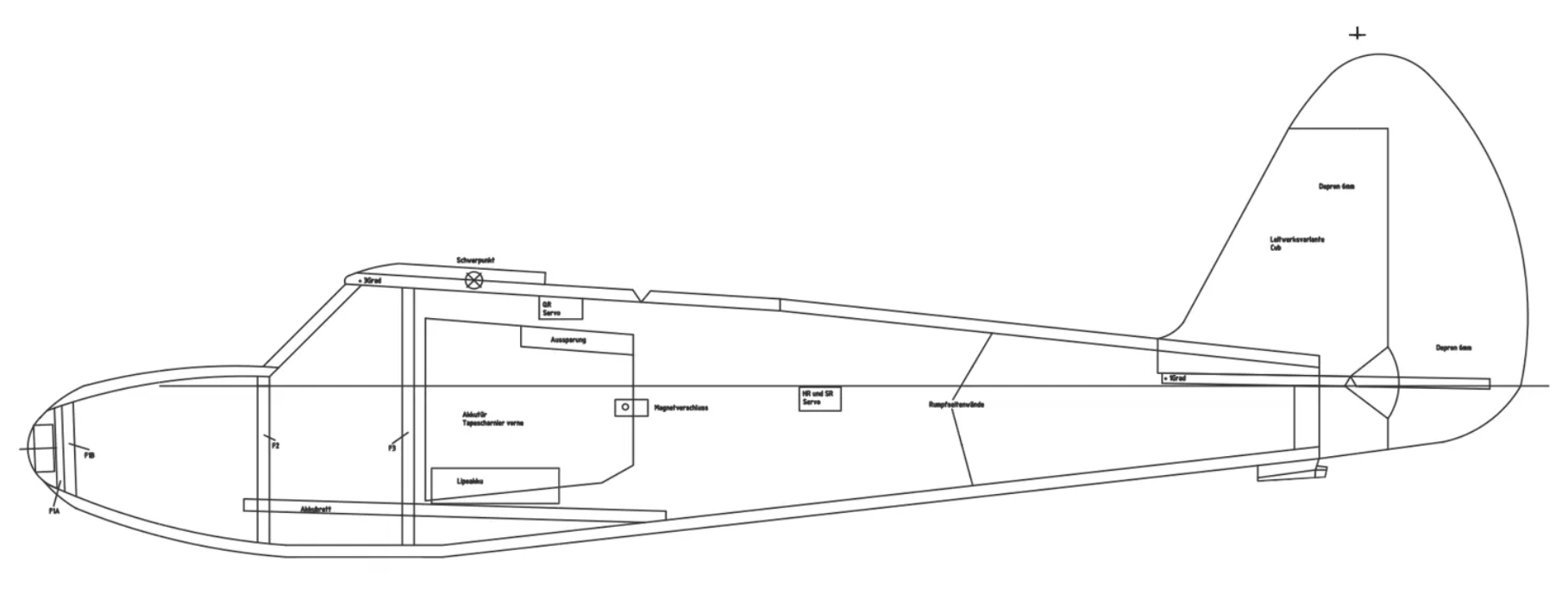
The part that surprised me most was working from pictures instead of words. I uploaded a German foam plan for a Cub fuselage, and the AI traced its side profile into the 3D model.
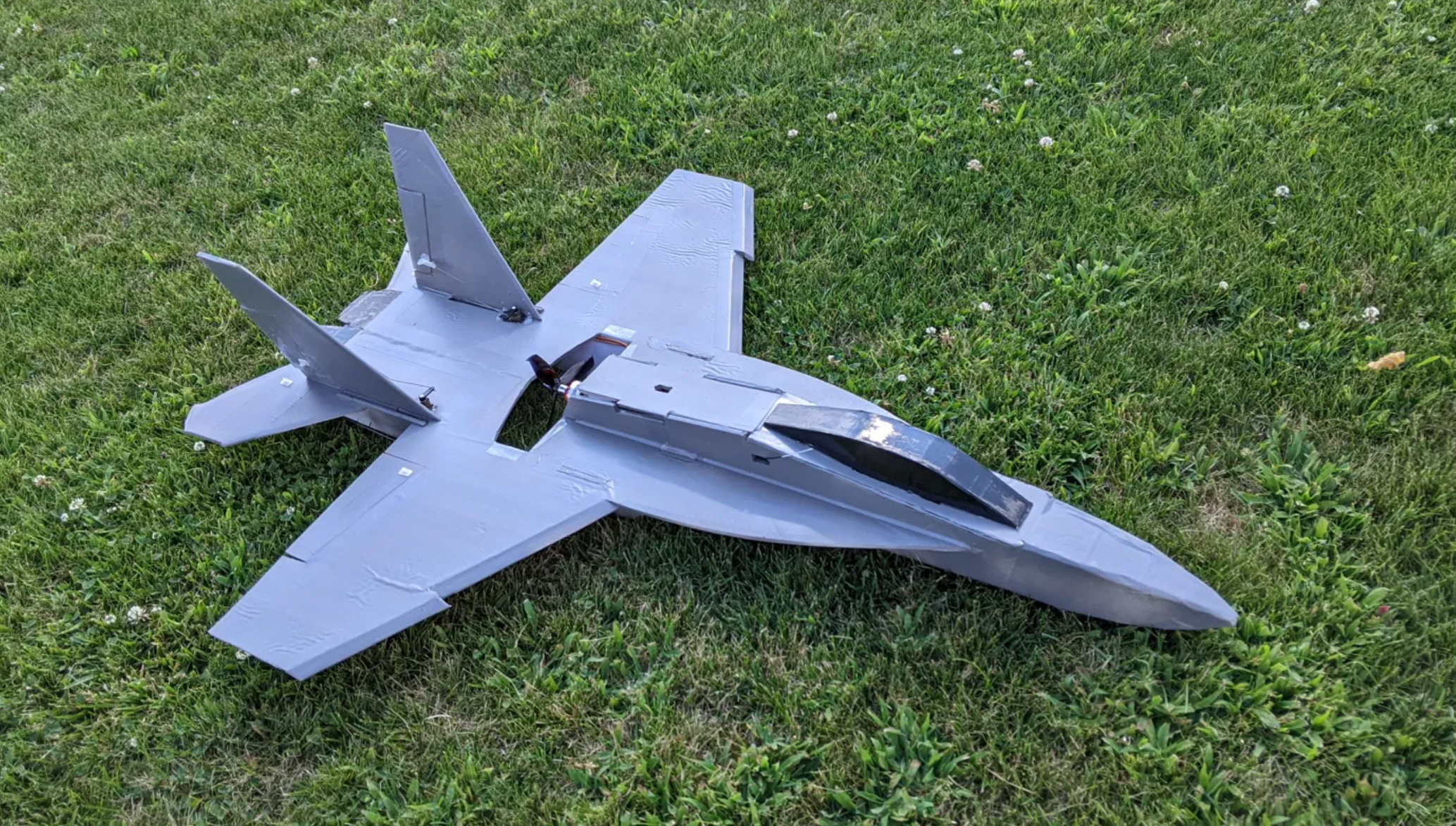
I gave the AI a photo of my scratch-built foam board F-18 Super Hornet.
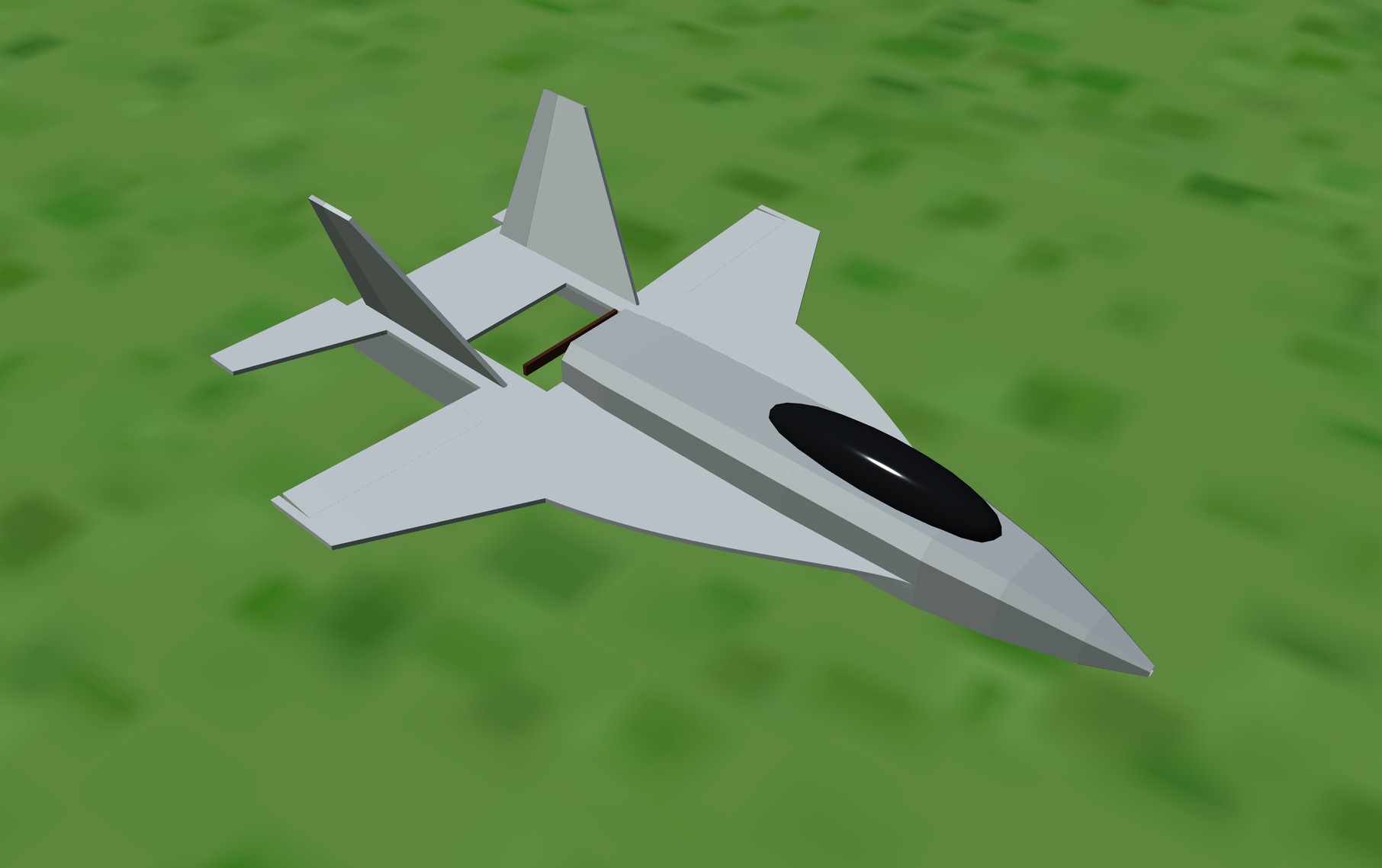
The AI made this for the simulator. It flies just like the real thing.
I also asked it to look up real data. It found the factory specifications for most of my planes, motor and prop thrust tests, NASA’s model of how thermals rise, and wind-tunnel research on the flat foam wings my planes use. Then it tuned each plane against those numbers, and tested the flight physics in the background before handing me each version.
The Hangar
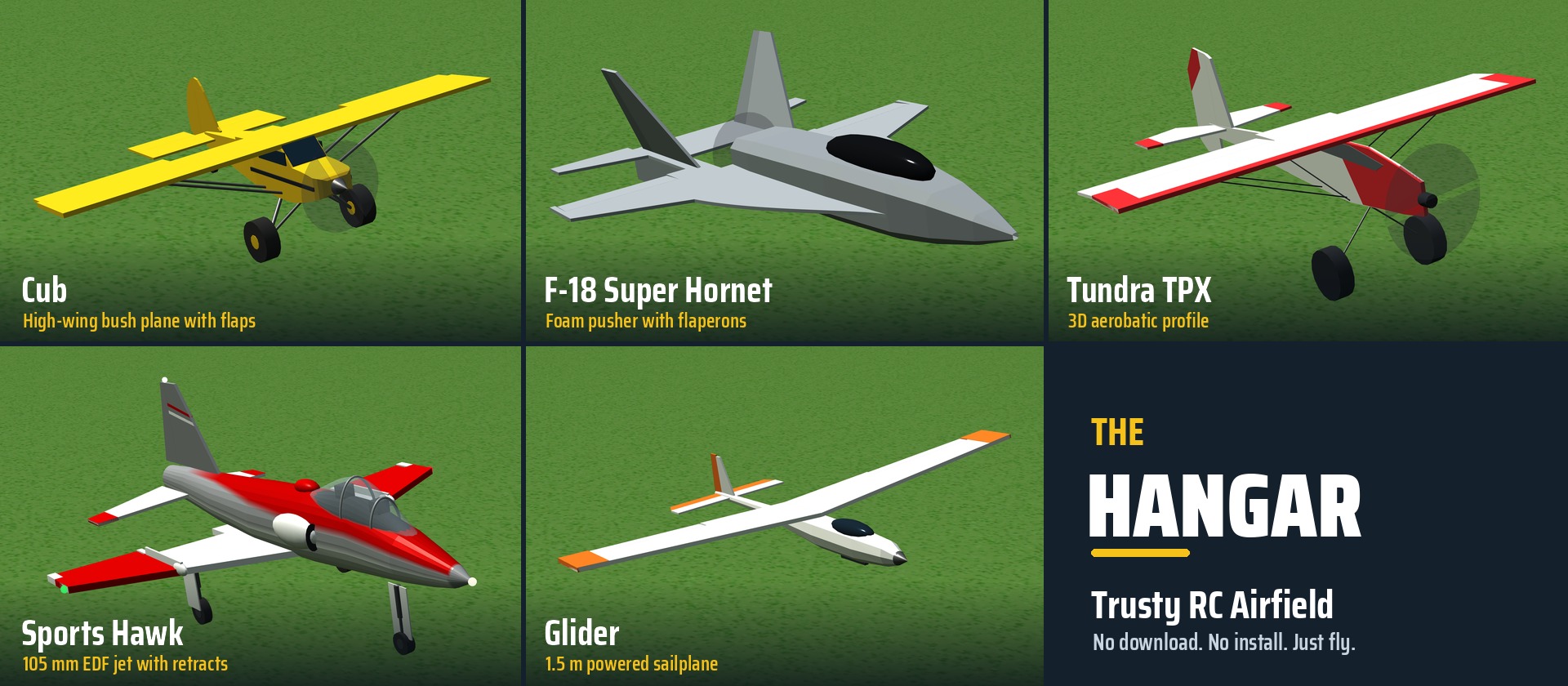
Every aircraft in the hangar is based on a real model, most of them ones I fly myself.
The Cub is the friendly trainer, a high-wing bush plane with flaps. It’s built to the factory numbers of a 1.3 m foam Cub, including its habit of dropping a wing if you get slow in a turn.
The F-18 Super Hornet foamie is modelled on my own scratch-built pusher. It’s hand-launched, with flaperons and stabilators that move just like my six-channel setup.
The Tundra TPX is a 3D aerobatic profile plane with unlimited vertical, about two rolls a second, and enough prop blast to hover.
The Sports Hawk is a 1.5 m electric ducted-fan jet with retracts, flaps, LED lights and a jet whine, painted in Ohio State scarlet and gray.
The Glider is a 1.5 m powered sailplane with a folding prop. Cut the motor, find a thermal, and a variometer beeps faster as you climb.
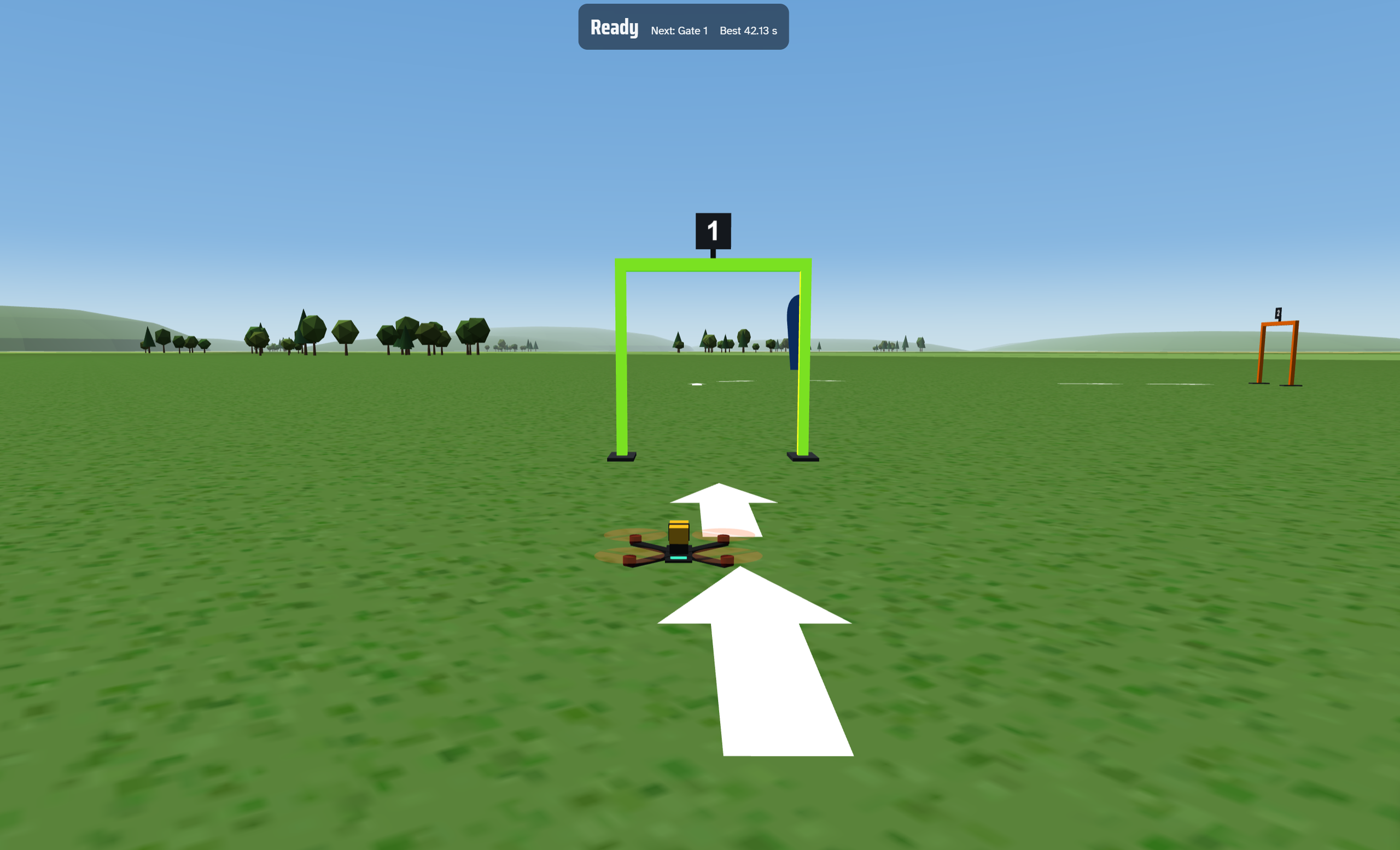
The drone has its own race course behind the tent: five gates and three flags, with ground arrows showing which way to go, a lap timer and a best-lap record. Crash, and one press of the reset switch stands the drone back up where it landed so you can finish the lap.
Why it works for students
There’s nothing to install. It’s one web page with no plugins and no account. If a student can open a website, they can fly. It runs smoothly on modest school laptops too, lowering its own resolution when a computer can’t keep up.
Crashes are free. Students learn orientation, coordinated turns and landings without breaking a plane or a propeller.
Students can use their real radio, or none at all. Those with a transmitter practise on the exact sticks, rates and switches they fly with. Everyone else uses the keyboard.
There’s real science behind the fun. Stalls, wind, thermals, flaps and centre of gravity behave the way they do outdoors, so there’s plenty to talk about. Why does the glider climb in that spot? Why does the jet need more runway?
And there’s a reason to practise. The FPV course has a lap timer and a best lap to beat.
What I learned about vibe coding
Domain knowledge is the real skill. The AI wrote every line, but it took an RC pilot to say that the windsock was at the wrong end, that the flaperons should droop 15% and 30%, or that a gate should be an upside-down U. Teachers and students bring exactly this kind of knowledge to their own projects.
Show, don’t just tell. Photos, plans and screenshots got better results than paragraphs of description. A picture of the plane said more than I could.
Small steps win. I made one change at a time, flew it, then asked for the next. When something looked wrong, a screenshot and one sentence fixed it.
Ask for real data. “Make it realistic” is vague. “Find the real specifications and test against them” is what gave the planes their character.
You still need to test. The AI tested its physics in the background, but only flying it showed what felt right. That loop of build, try and adjust is the same one we teach in any design project.
The barrier between having an idea and having working software keeps getting smaller. This simulator started as one student need and one sentence.
Try it
Fly now at: https://www.trustyetc.com/RC/
To use a RadioMaster Pocket or another EdgeTX radio with ExpressLRS:
- Select a plain model on the radio: aileron, elevator, throttle and rudder on channels 1 to 4, no mixes.
- Press SYS, open Tools, run ExpressLRS and choose BLE Joystick.
- Pair ExpressLRS Joystick in your computer’s Bluetooth settings.
- Open the simulator, wiggle a stick, and choose Assign controls.
Use Chrome or Edge. No radio? Choose Fly with the keyboard.
If you build something with vibe coding for your own classroom, I’d love to hear about it. And if you beat my best lap on the drone course, I want to hear about that too.
Want to see more? This project joins the Trusty AI Arcade and my StartPage rebuild as part of my push to build my own digital tools with AI.


